Language

THE FUJITA MEMBERS会員様限定 宿泊ご優待クーポンご利用方法
クーポンのご利用手順
How to Use Coupons
-

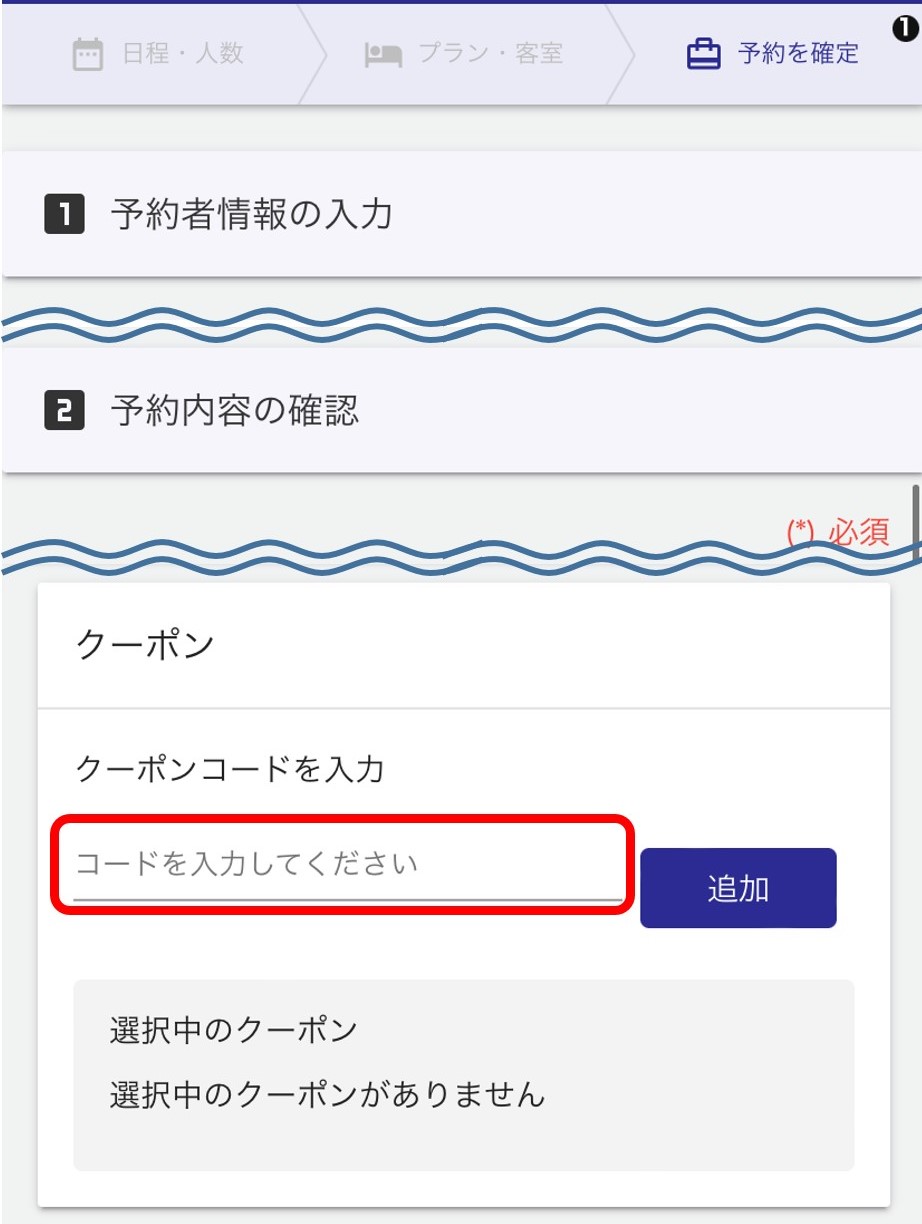
①ご予約画面で対象プランを選択後、「予約内容の確認」にて、クーポンコードをご入力ください。
※クーポン利用対象外プランの場合、クーポンコード入力欄が表示されません。
① After selecting the desired plan in the reservation system, please enter the coupon code in the reservation details confirmation section.
*If the plan is not eligible for coupon use, the coupon code input field will not be displayed.
-

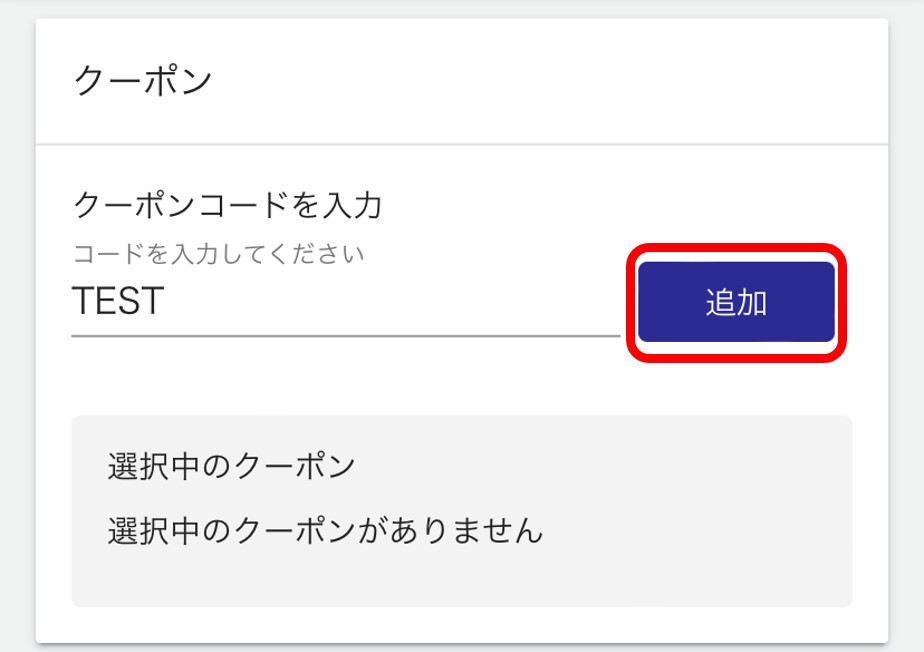
②「追加」ボタンをクリック/タップ
② Click or tap the “Add” button.
-

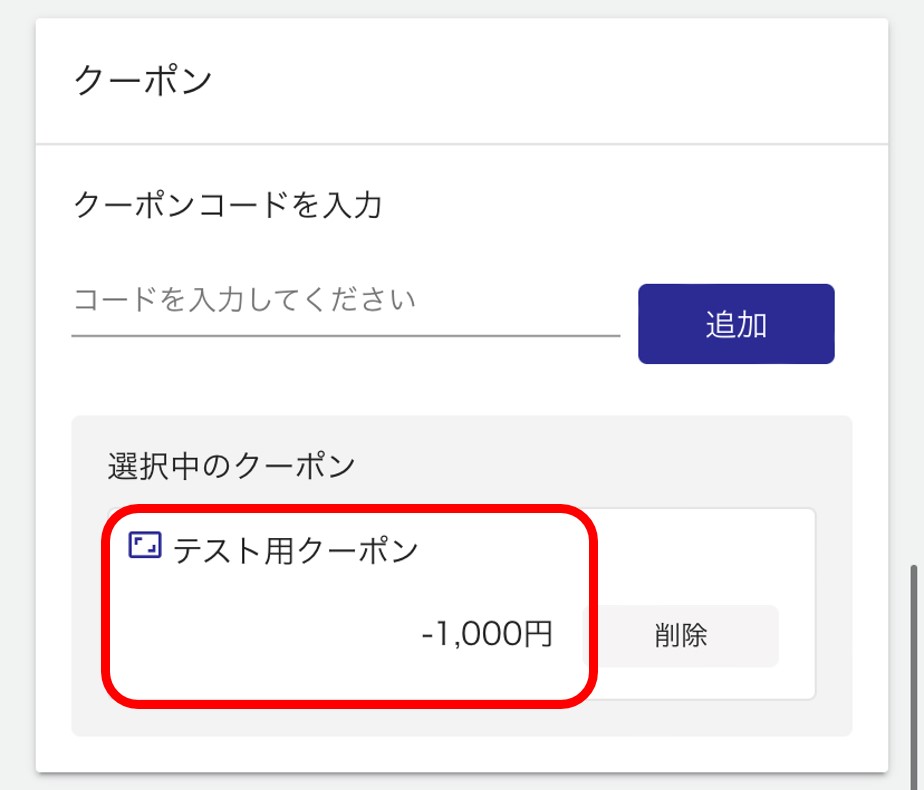
③「選択中のクーポン」欄に、入力したクーポン内容が表示されていることをご確認ください。
その他、必要項目をご入力いただき、ご予約確定のお手続きをお願いいたします。ご不明な点がございましたら、お気軽にお問い合わせください。
③ Please ensure that the coupon details you have entered are displayed in the “Selected Coupon” field.
Additionally, fill in the required fields and proceed to confirm your reservation. If you have any questions, please feel free to contact us.